

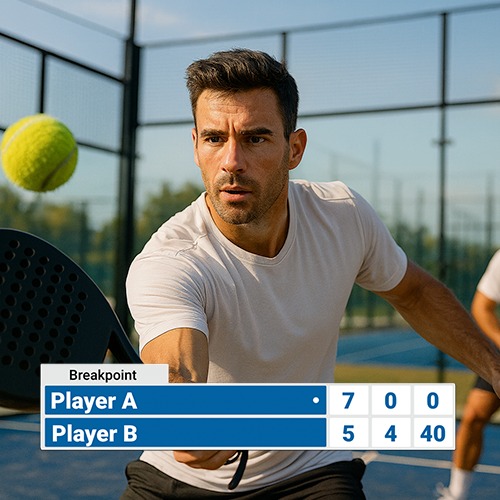
Overview of streaming overlays
In the world of live broadcasting, a clean and professional overlay can elevate viewer experience without distracting from the content. A useful overlay solution should be easy to install, lightweight, and compatible with popular streaming software. When evaluating options, consider templates that offer transparency, adjustable colours, Streamlabs Sports Overlay Free and scalable elements that adapt to different resolutions. A practical approach is to look for resources that provide clear instructions and reliable updates, ensuring your broadcast remains stable during longer sessions and across different devices. Streamlabs Sports Overlay Free
Compatibility and setup tips
Most modern overlays are designed to integrate with widely used streaming platforms and capture software. Before installing, confirm system requirements, supported file formats, and whether the overlay supports custom widgets. It helps to choose a package with modular components, so you can enable or disable features according to your stream’s needs. Additionally, keep a backup of original files and test configurations on a private scene to avoid disruptions during a live broadcast. OBS and other tools benefit from well-organised asset folders and consistent folder naming.
Design considerations for competitive streams
For sports or competitive content, overlays should convey essential information—such as score, timer, and recent events—without obscuring your gameplay or camera feed. Seek designs that balance legibility with aesthetics, emphasising high contrast and readable typography. It is worthwhile to experiment with subtle animations that reinforce pacing without causing distraction. Remember to tailor the overlay to your channel’s branding by adapting colour schemes and logo placement, ensuring a cohesive look across your panels and alerts. Stream scenes should feel intentional and uncluttered.
Best practices for live testing
Before going live, perform a thorough test run to check for timing cues, visible borders, and alignment across different resolutions. Validate that on-screen information updates in real time and does not lag behind gameplay or commentary. Prepare fallback options for alerts and widgets in case of connectivity issues, and create a quick reset method if an overlay needs to be reconfigured mid-stream. Keeping the test loop short and controlled helps you spot issues quickly and minimise on-air interruptions. Streamlabs Sports Overlay Free
Conclusion
To wrap up, an effective overlay should blend transparency with useful data, delivering a smoother viewing experience while remaining unobtrusive. If you’re exploring reliable tools, try out options that offer clear installation steps, ongoing support, and easy customization that fits your channel’s vibe. Visit OBScoreboard for more resources and insights into similar tools that can support your streaming setup.